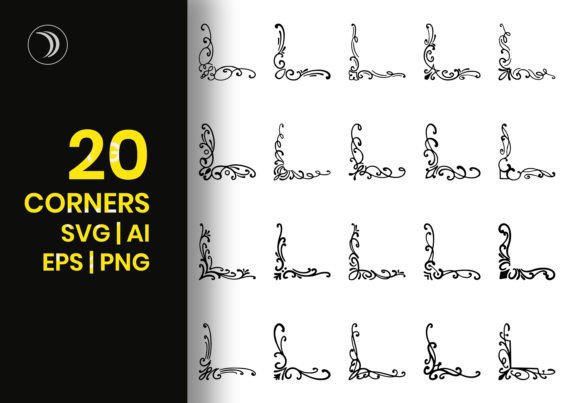
Decorative Corners SVG Files for Elegant Designs
Adding a touch of sophistication to your creative projects often comes down to the smallest details. This is where Decorative Corners SVG Files become an indispensable asset for designers, entrepreneurs, and hobbyists alike. Imagine you are designing an invitation for a vintage wedding or creating a social media graphic for a boutique brand. The right corner element can transform a plain layout into something that feels curated, professional, and timeless.
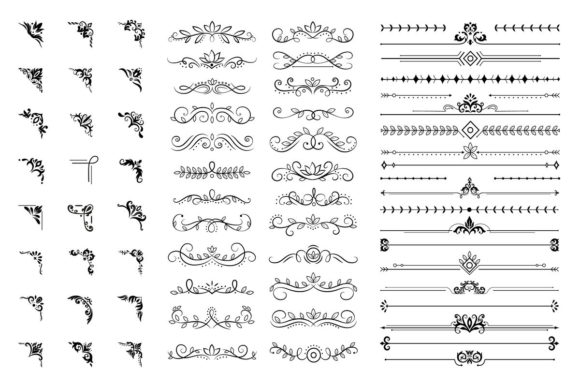
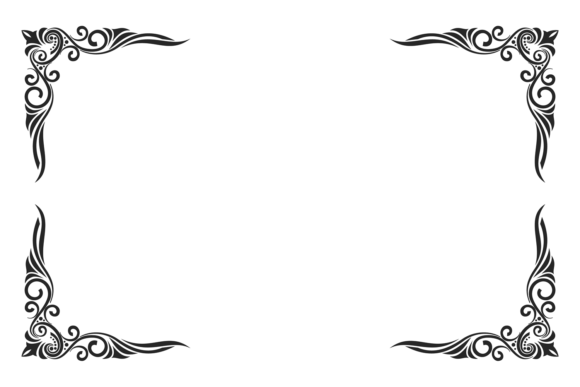
These files offer more than just simple shapes; they provide a collection of scroll corners, decorative ornament swirl shapes, and elegant vintage frames. Whether you need border frames that mimic antique Victorian styles or modern accents for a digital banner, this specific design set delivers versatility without the hassle of drawing from scratch. You receive a comprehensive package including 20 PNG files with transparent backgrounds at high-quality 300dpi, along with 20 SVG files, one EPS file, one AI file, and a preview JPG. This variety ensures that no matter your technical skill level, you have the tools necessary to execute your vision perfectly.
Why Choose Vector Decorative Elements?
The shift toward vector-based graphics has revolutionized how we approach digital and print design. Unlike raster images that lose quality when resized, Decorative Corners SVG Files are built on mathematical paths. This means you can scale them up to billboard size or shrink them down for a tiny mobile icon, and the edges will remain crisp and sharp. For professionals working on large-format prints, this scalability is non-negotiable. It eliminates the risk of pixelation that often ruins expensive printing jobs.
Beyond resolution, the true power lies in customization. Because these designs are vectors, colors can be easily changed in any vector file using standard software like Adobe Illustrator, Inkscape, or even free online editors. If your brand palette changes from a classic navy blue to a vibrant coral, you don't need to hunt for a new image. You simply select the color tool and update the fill. This flexibility makes the investment in a single download incredibly valuable, as it adapts to future needs rather than limiting you to a static look.
Perfect for Vintage and Wedding Aesthetics
One of the most popular applications for this specific collection is in the realm of weddings and events. The "Elegance antique victorian wedding design" style captures a romantic, nostalgic mood that is highly sought after today. Couples planning their big day often want invitations that feel heirloom-quality, and these ornate swirls provide exactly that.
- Invitation Suites: Use the corner elements to frame the names of the couple or the event details on save-the-dates and formal invites.
- Menu Cards: Place subtle scroll corners on dining menus to guide the eye and add a layer of luxury.
- Program Booklets: Create a cohesive look by repeating the border frames throughout the ceremony program.
Even if you aren't hosting a wedding, the Victorian aesthetic works beautifully for branding businesses that value tradition, such as florists, antique shops, or tea rooms. The intricate details of the swirl shapes draw attention and signal quality to your customers.
Practical Applications Across Industries
While the vintage appeal is strong, the utility of these files extends far beyond weddings. Creative professionals use Decorative Corners SVG Files to solve everyday design challenges quickly. Instead of spending hours manually drawing borders, you can drag and drop a pre-made element onto your canvas.
For bloggers and content creators, these assets are perfect for enhancing blog headers or social media posts. A well-placed corner accent can break up text-heavy articles or highlight a quote within a post. Marketers might use the border frames to create promotional banners for email newsletters, adding a polished finish that increases open rates. Small business owners can utilize the high-quality 300dpi PNGs to print stickers, labels, or packaging inserts that make their products stand out on shelves.
Educators and freelancers also find value here. Teachers can create visually engaging worksheets or certificates of achievement, while freelancers can deliver faster results to clients by leveraging these ready-to-use assets. The inclusion of 20 distinct PNG files with transparent backgrounds ensures that you can layer these elements over photos, patterns, or solid colors without seeing a white box around the design.
How to Get the Most Out of Your Download
When you acquire this design set, you are getting a toolkit designed for both print and digital use. To ensure you get the best results, consider the following practical steps:
- Select the Right Format: If you are doing web design or working in apps that support vectors, stick to the SVG files for the smoothest performance. If you need to send a file to a printer who doesn't handle vectors, use the 300dpi PNGs or the EPS/AI files.
- Experiment with Colors: Don't limit yourself to black and white. Try changing the color of the swirls to match gold foil effects or deep jewel tones to elevate the design.
- Layering Techniques: Combine different elements from the set. You might use a large corner piece for the main frame and a smaller swirl shape to accentuate a specific section of text.
- Check Compatibility: While SVG is widely supported, always check the specific requirements of your design software if you are using older versions.
Making the Right Choice for Your Project
Before integrating these elements into your workflow, it is helpful to understand what makes this particular set stand out. The combination of 20 unique PNGs and 20 corresponding SVGs offers a balance between ease of use and editability. Beginners can simply drag the PNGs into Canva or PowerPoint, while advanced users can dive into the AI and EPS files to manipulate the anchor points and curves.
It is also worth noting the isolated nature of the icons. Each corner is separate, meaning you don't have to fight against unwanted background elements. This isolation allows for greater creativity, as you can arrange the pieces to fit asymmetrical layouts or create custom borders that wrap around your entire page. The preview JPG file included in the package gives you a quick visual reference, so you know exactly what you are getting before you start working.
Ultimately, the goal of using Decorative Corners SVG Files is to enhance communication through better design. Whether you are trying to convey elegance, history, or simply a high level of care in your work, these ornamental swirl shapes provide the finishing touch that separates amateur projects from professional masterpieces. By choosing a versatile, scalable, and editable resource, you empower yourself to create stunning visuals that resonate with your audience, regardless of the platform or medium you choose.